 pawlooks
What pawlooks gets ready for you
Install it and the app counts your camera roll, then has the age-by-age album and cards ready. Here it is in the real app.
See it in 20 seconds
Thousands of photos, and the baby ones are buried. Here's what pawlooks does about it. Tap a video to play it with sound.
Promo videos made with AI. The people and pets in them are not real users.
No sign-up. Your first book, right away.
- first
Allow photo access
We explain why first. If you share only some photos, the app still works.
- then
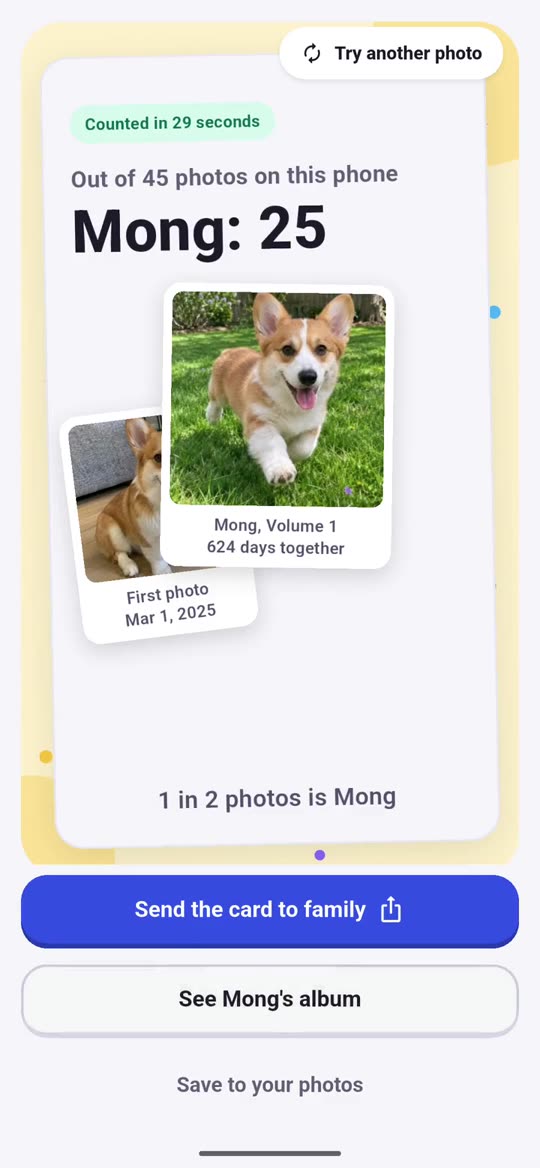
Find your pet, on your phone
pawlooks scans your library on the phone and sorts dog and cat photos by pet.
- done
Name them, get Vol. 1
Add a name and birthday (a rough guess is fine) and the cover of "Mong, Vol. 1" appears.

Free on the App Store for iPhone. Android is on the way.
Three reasons you'll keep coming back
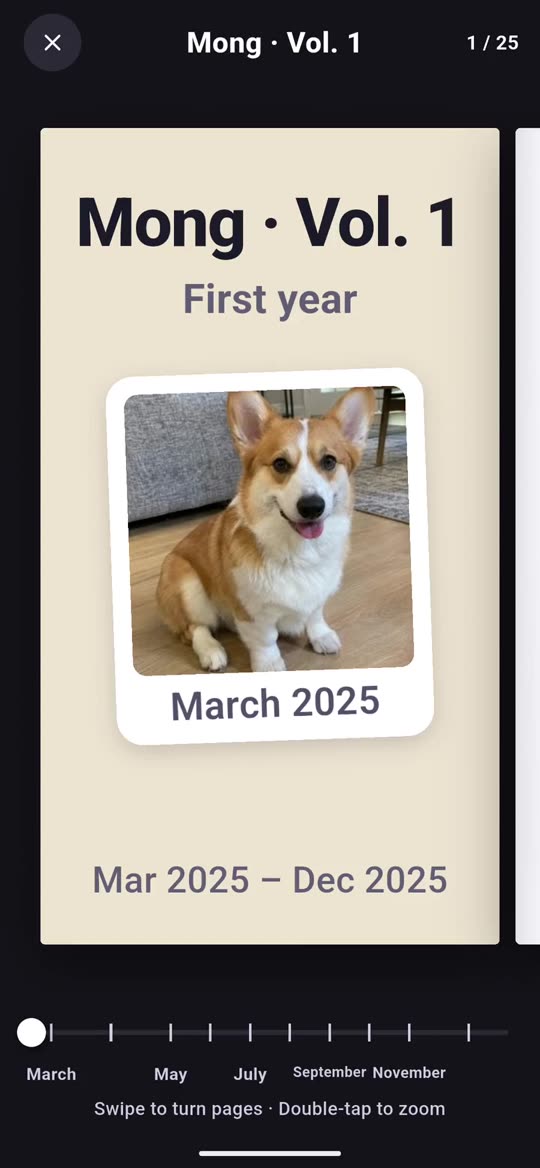
Flip by age, not by date
2 months, 1 year, 2 years, now. Years of photos, already in the order your pet grew up.
- One book a year on a growing shelf
- The best photo from every month, picked for you
- Each pet gets their own albums
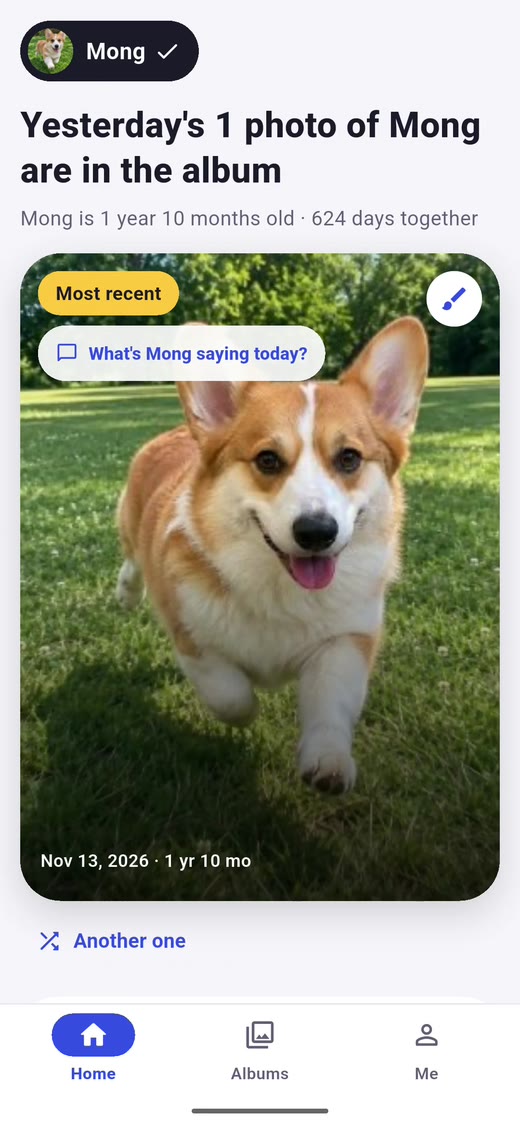
Reminds you before you forget
Birthdays, adoption days, and "1 year ago today." pawlooks remembers and tells you on the day.
- Birthday and adoption day reminders
- Your pet, 1 year ago today
- A heads-up when sorting is done
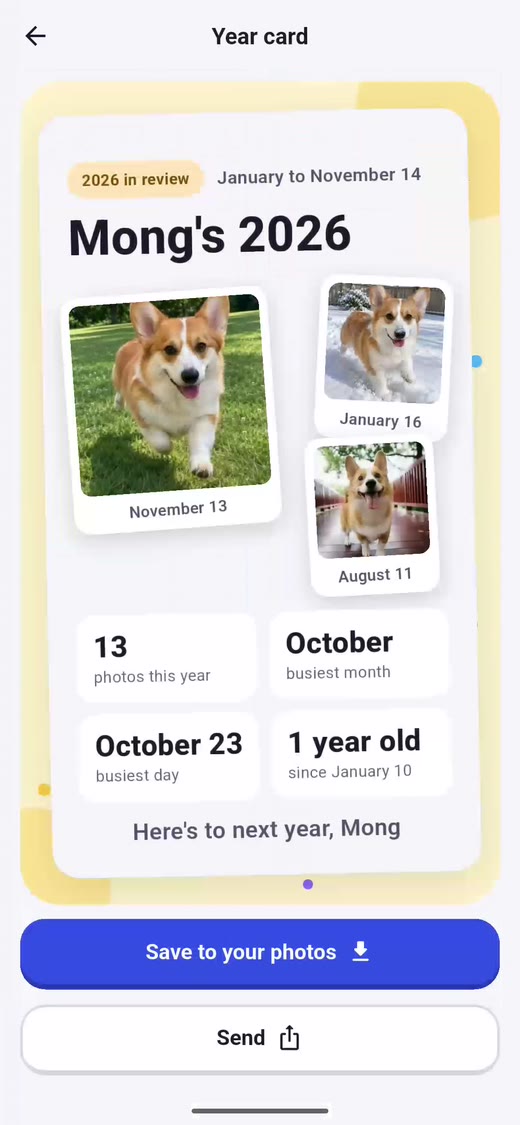
Share the moment as one card
Make a year card or a book cover in a tap, then send it to family and friends.
- "Mong's 2026" year card
- Save to Photos or send with your share sheet
- Plus adds card themes and removes the app name
Your cards are already made
pawlooks picks the photos and lays them out. Just save the one you like, or send it to family.
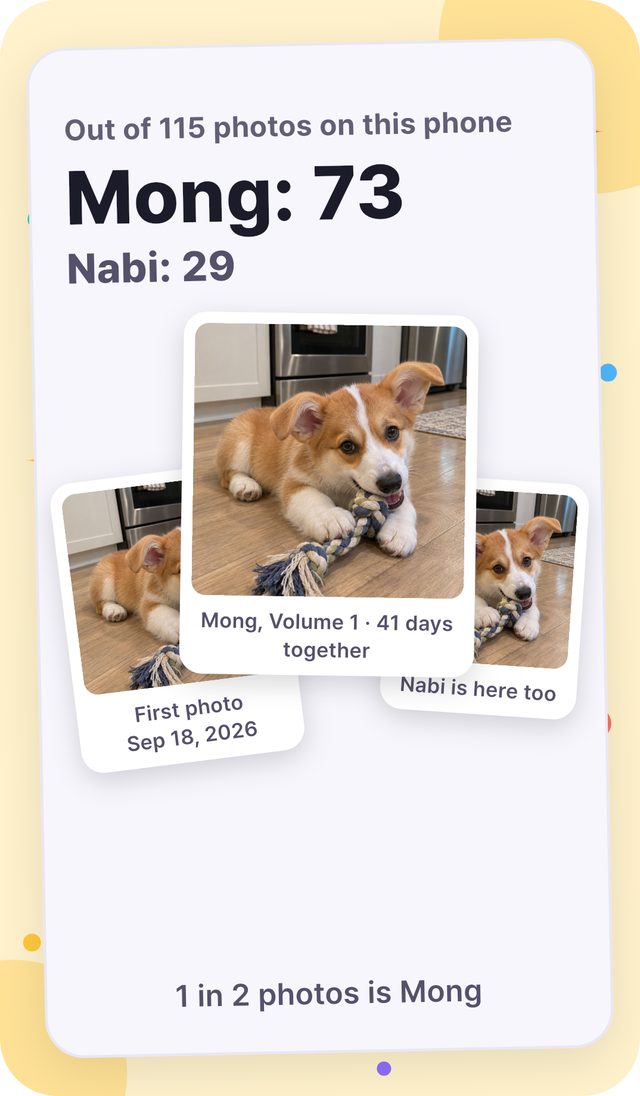
First count cardYour first card, right after the first count 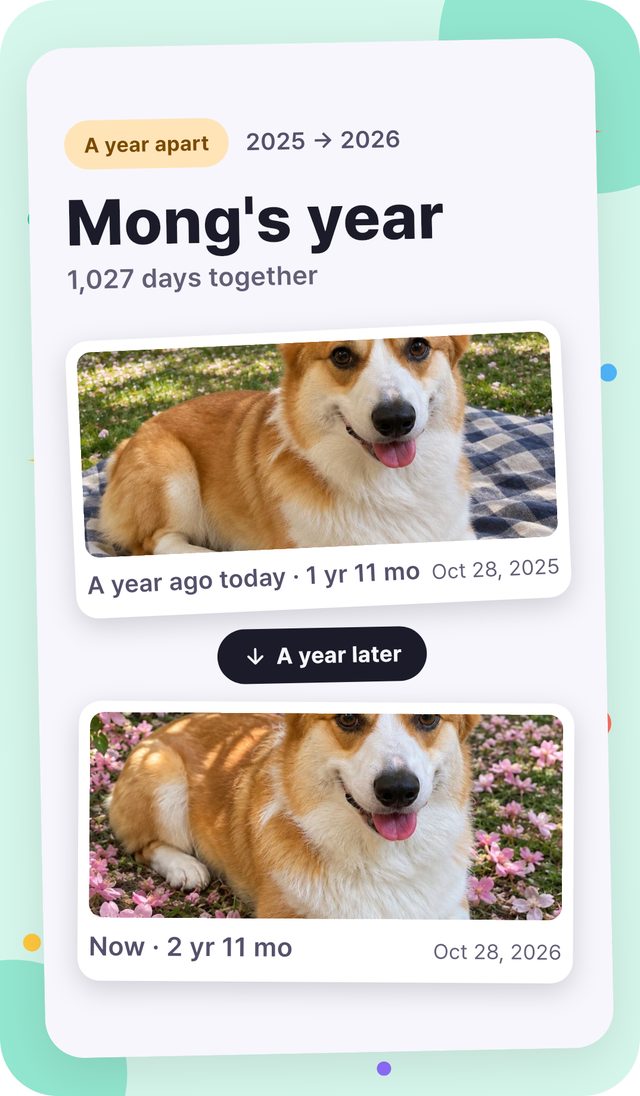
One-year cardA year ago today, next to now 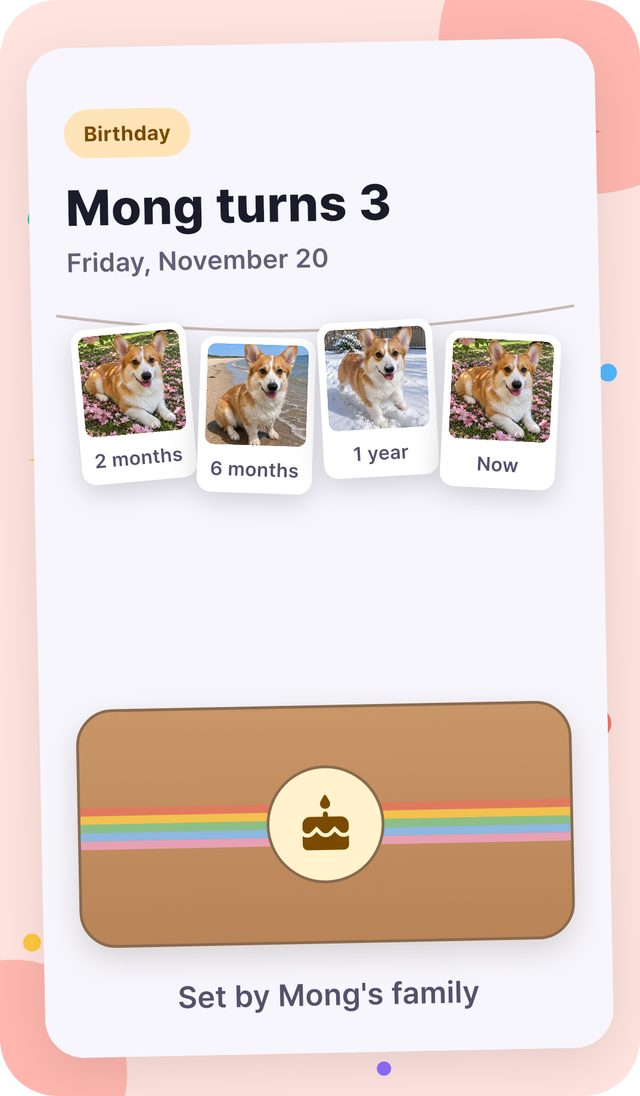
Party previewA birthday table set with photos by age 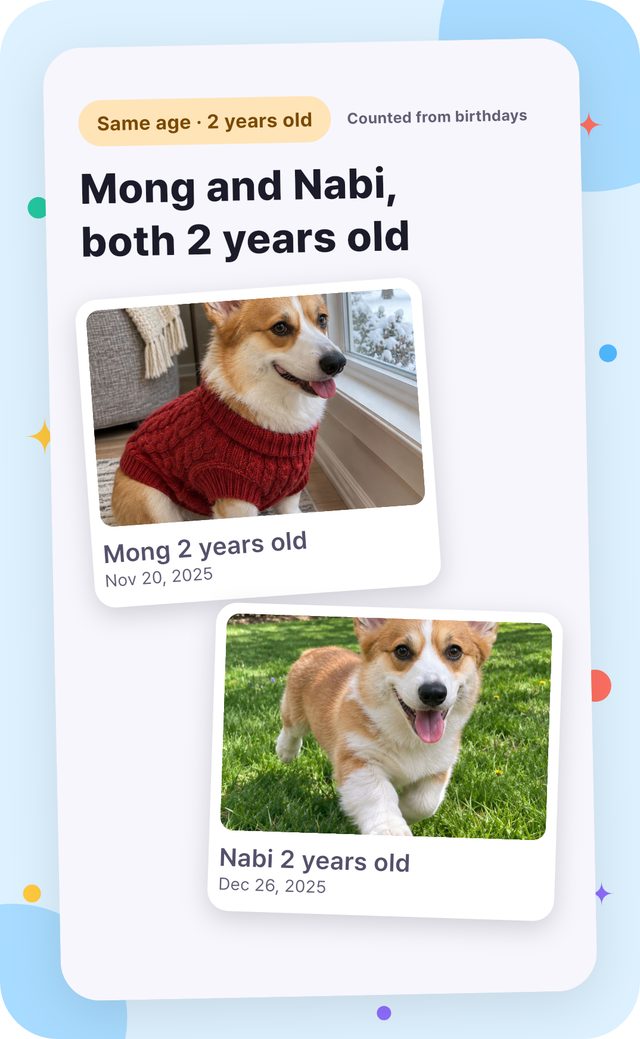
Same-age cardThe day two pets were the same age
The dog photos on this page are examples made with AI.
Photos spread across family phones, together in one book
Each person picks photos of your pet on their own phone, and they come together in one book. Sorting still happens only on each phone.
Invite family with a link
Choose who adds photos and who just looks. Only the photos you pick go up, made smaller and without location or device details. Leave a like or a line on any photo.
Grandparents need no app
A web album link opens the family photos in a browser, no app needed. You can close a link any time.
A care link for sitters
A pet sitter or boarding place can send photos without the app. Only the ones you pick go into the family album.
You sign in only when you first open the family album. Sorting and albums still work without an account.
What's in the app today
Look at, tidy, edit, and show off your photos, all inside pawlooks. Anything without a Plus mark is free.
Your pet's album
pawlooks finds your pet in your library and puts the years in order by age.
- Dog and cat photos found and sorted on your phone
- A life album you flip by age, not by date
- A bookshelf that grows one volume a year
- Fix a wrong match, or merge the same pet
- Last month bound into a chapter on the 1st Plus
- A title and a line for each chapter Plus
- Add a "learned" line to photos Plus
- Save a volume as a print-ready PDF Plus
A home worth opening
Every time you open it, your pet's day is waiting.
- Today's photo, and one more
- A line in your pet's voice
- This week's paw stamps
- Today's little things, with a small celebration
Memories and dates
pawlooks brings them back before you forget.
- One year ago today
- Birthday, adoption day, and monthly age reminders
- Book of firsts
- The month as a story
Cards and sharing
Turn the moments you want to show off into one card.
- Card maker, year card, one-year card
- Preview and send the same-age card
- Send a whole volume as an album file
- Share-ready sizes, loops, and slideshows
- More card background colors Plus
- Cards without the app name Plus
- Save same-age cards to your photos Plus
- Album file cover colors Plus
- Make several album files at once Plus
Family album
Photos spread across family phones, in one book.
- Invite family with a link, to add photos or just look
- Photos each person picks, in one book, with likes and a line
- A web album link for family without the app
- A care link so a sitter can send photos without the app
Tidy up
pawlooks finds what's piling up, so all you do is decide.
- Keep the sharpest of similar photos
- Find blurry photos and duplicates
- Find large videos, stack bursts
- Archive
Edit
Fix a photo right where you are looking at it.
- Crop, rotate, straighten
- Brightness, filters, auto fix, glowing-eye fix
- Draw, text, blur, stickers
- Trim videos, change speed, find the best moments
- Save pro photo edits (color, curves, local fixes, spot removal) Plus
- Export pro video edits (join clips, text, 4K, 60fps) Plus
Gallery basics
Everything you already do in a gallery app.
- Every photo and video, and your phone albums
- Your own albums, favorites, search
- A trash that keeps photos for 30 days, and hidden photos behind your phone lock
- Send many at once, copy, print, set as wallpaper
Make it yours
Dress the home screen the way your pet deserves.
- Pick a home cover photo and five candy colors
- Sticker frames, charms, a name tag
- Reorder the home sections
- Home screen widget
- Home cover patterns and shaped frames Plus
- Home screen widget colors Plus
Records
Kept together for the day you need them.
- A records album
- Clear photos, ready to send if your pet goes missing
- A care card to hand to a sitter
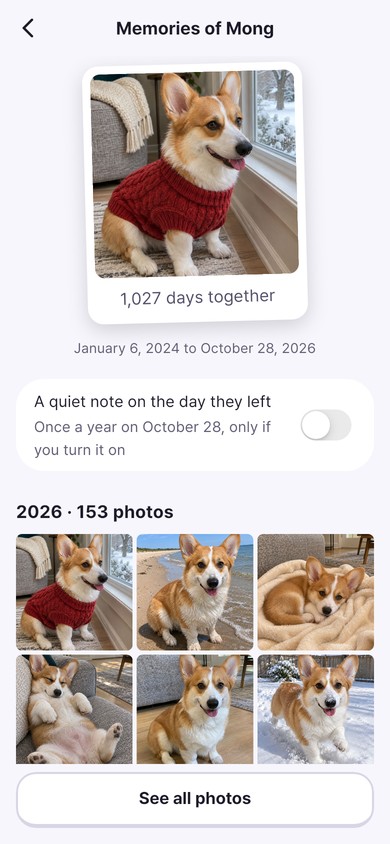
For a pet who has passed
Their album stays right where it is.
- Memory album
- A candle on the day they left
- Export their book
Features open one by one as we finish checking them. See pricing
When they cross the rainbow bridge,
their place in the album stays
Birthday wishes and countdowns quietly stop. The photos and your days together stay, and a reminder on the day they left goes only to those who want it.